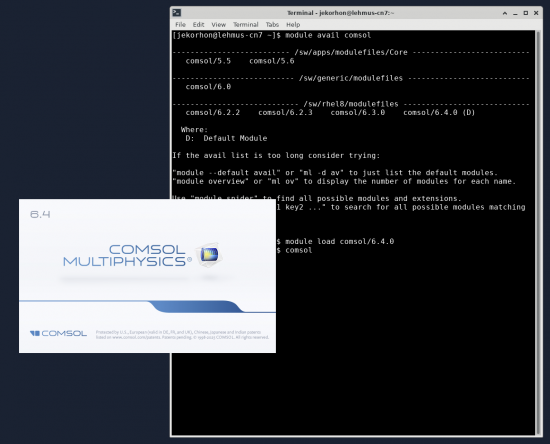
This Guide will help you to use Comsol Multiphysics on Lehmus Desktop. Lehmus Desktop is the remote desktop environment on Lehmus HPC platform.
Accessing Lehmus Desktop
You can access Lehmus Desktop by login to https://lehmus.oulu.fi portal. After that you can open new Lehmus Desktop session from main page or you can use running Lehmus Desktop session.
Starting Comsol on Lehmus Desktop
Comsol multiphysics is available on Lehmus and it will utilize Campus license. Usage is free.
You can see available Comsol version by running command: module avail comsol
[jekorhon@lehmus-cn7 ~]$ module avail comsol
————————– /sw/apps/modulefiles/Core ————————–
comsol/5.5 comsol/5.6
————————— /sw/generic/modulefiles —————————
comsol/6.0
—————————- /sw/rhel8/modulefiles —————————-
comsol/6.2.2 comsol/6.2.3 comsol/6.3.0 comsol/6.4.0 (D)
Where:
D: Default Module
If the avail list is too long consider trying:
“module –default avail” or “ml -d av” to just list the default modules.
“module overview” or “ml ov” to display the number of modules for each name.
Use “module spider” to find all possible modules and extensions.
Use “module keyword key1 key2 …” to search for all possible modules matching
any of the “keys”.
After that you can load specific Comsol version using command: module load comsol/6.4.0
And after load you can start comsol using command: comsol