There are two different ways that you can delete the saved/cached versions of email addresses. It is possible to delete these entries individually or delete the whole repository.
Delete individually
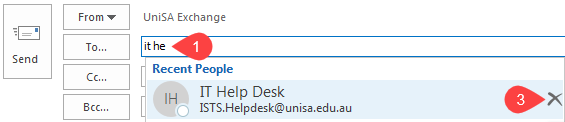
- In a new email start typing the address you wish to delete
- Outlook will pre-empt options underneath
- Hover over the desired address and click the delete option on the right, marked with an X icon
Delete entire saved address cache
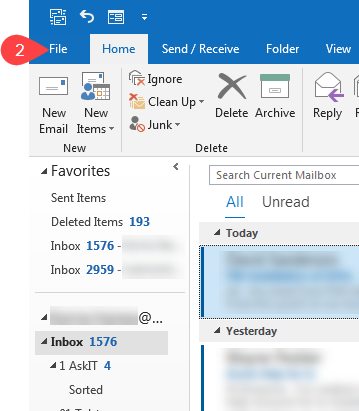
- Open Outlook
- Click on File in the top left
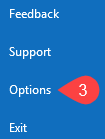
- Select Options down the left side
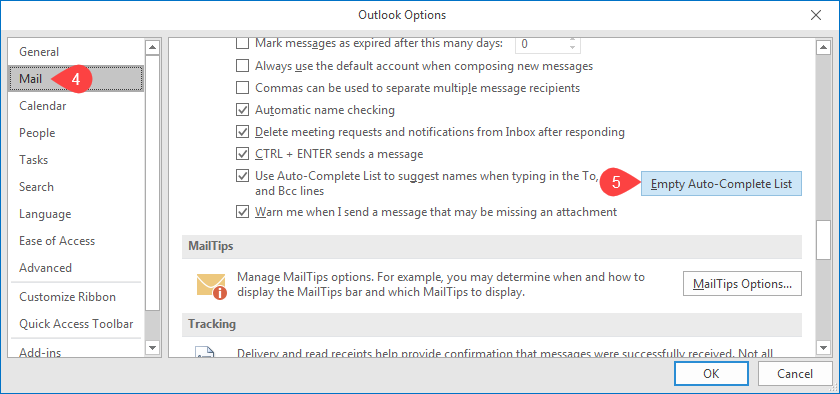
- Select Mail on the left
- Scroll down and click Empty Auto-Complete List
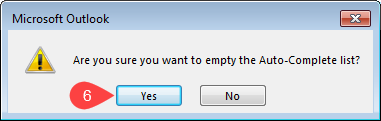
- Click Yes when the system prompts Are you sure you want to empty the Auto-Complete list?
- You can now close the Options window by clicking OK.