Newer staff laptops at the University of Oulu and Oamk will be equipped with a 5G eSIM connection.
This will be implemented on all centrally managed devices (service devices) that support eSIM functionality, which in practice means the newer Lenovo laptop models.
A 5G connection provides network access even when a wireless network or other internet connection is not available. It makes working more convenient, for example when travelling or attending events.
If your new laptop supports 5G eSIM, you do not need to order a mobile subscription yourself. ICT Services will take care of activating the subscription. You only need to confirm the activation on your laptop.
When the subscription is ready for activation
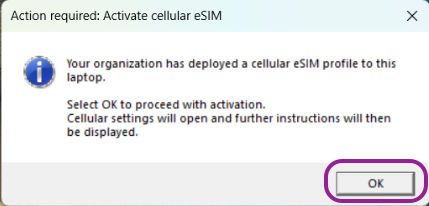
Once the subscription has been provisioned for your device, Windows will display a pop-up notification prompting you to activate the eSIM profile. Complete the activation by following the instructions shown in the window.
Note: YA is the operator’s default name for the eSIM profile.
Activation Instructions
- When you receive a notification that action is required, click OK.
- An Activation Guide will open.
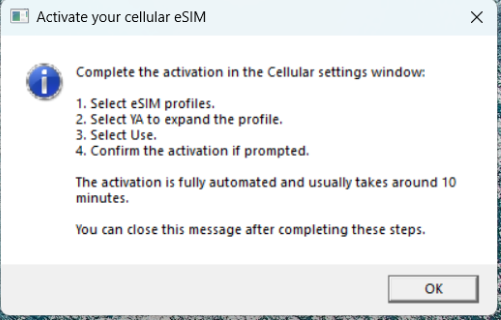
- The Settings application should open automatically.
- If the Settings application does not open automatically:
- Select Cellular.
Open Settings on your computer and select Network & Internet.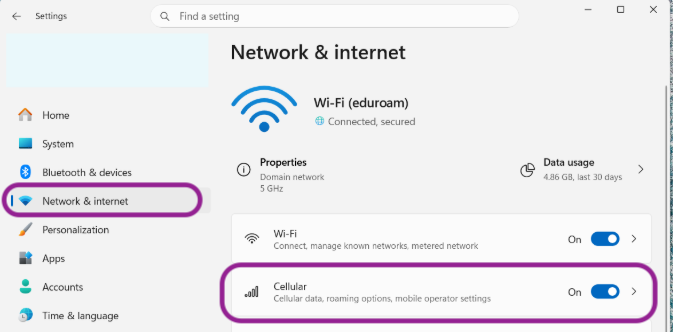
- Select eSIM profiles and open the details of the YA profile.
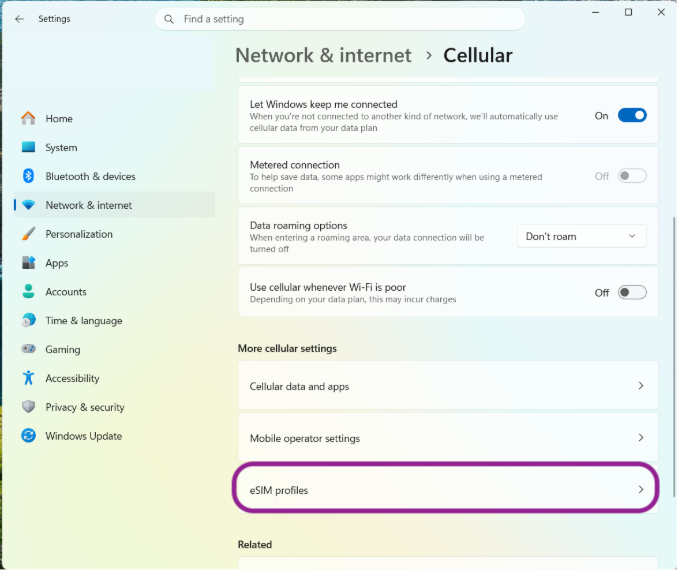
- Open the YA profile and select Use.
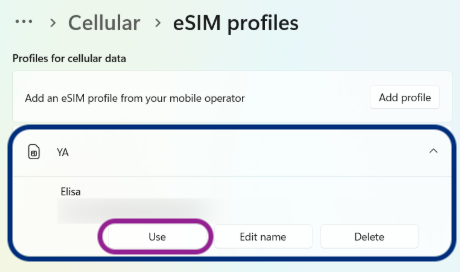
- Activation confirmation usually takes about 10 minutes.
- Once activation is complete, the 5G connection will be available on your laptop.