Are you going to be away on vacation or on sick leave? Remember to schedule out-of-office status and messages, this guide will guide you on how to do that in Microsoft Teams.
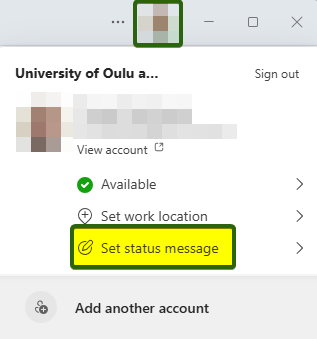
- In Teams, open your profile menu and choose Set status message.
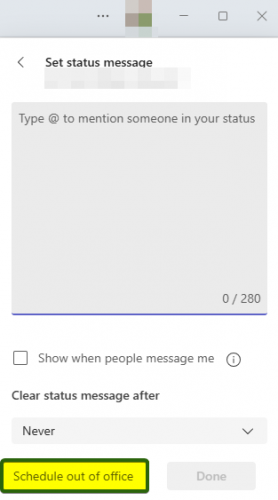
- All the way at the bottom there’s an option to Schedule out of office, click on it.
- Turn on automatic replies, write a message in the Out of office message field, tick the Send replies only during a time period option and set a starting and ending date. Note! Starting date and time should be when you leave on your last day before vacation.
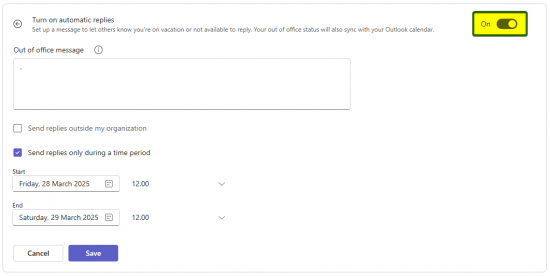
NB. it’s not a good idea to send automatic messages to everyone outside your organization. People who need to be sure their message reaches you immediately, should either ask for a confirmation for receiving the message, or they should call you.